Online Booking for Craft CMS
Multi-provider scheduling, a step wizard booking form, Stripe payments, and a calendar view — built for service businesses.
$79 one-time license + $59/year for updates

In The Control Panel
Real screens from a Craft 5 install — a week of bookings across two providers, and the list behind it.
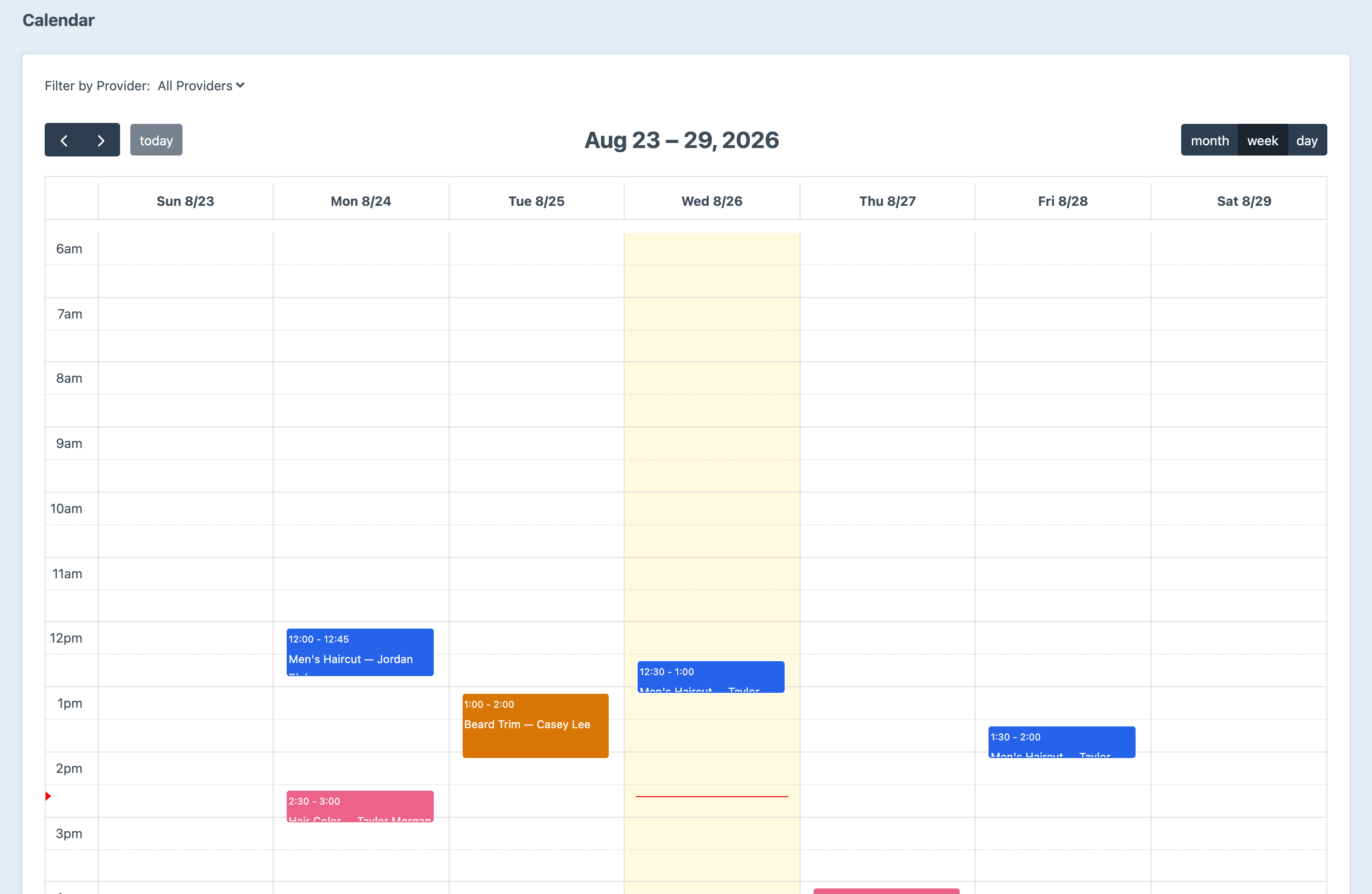
A week at a glance, filtered by provider.
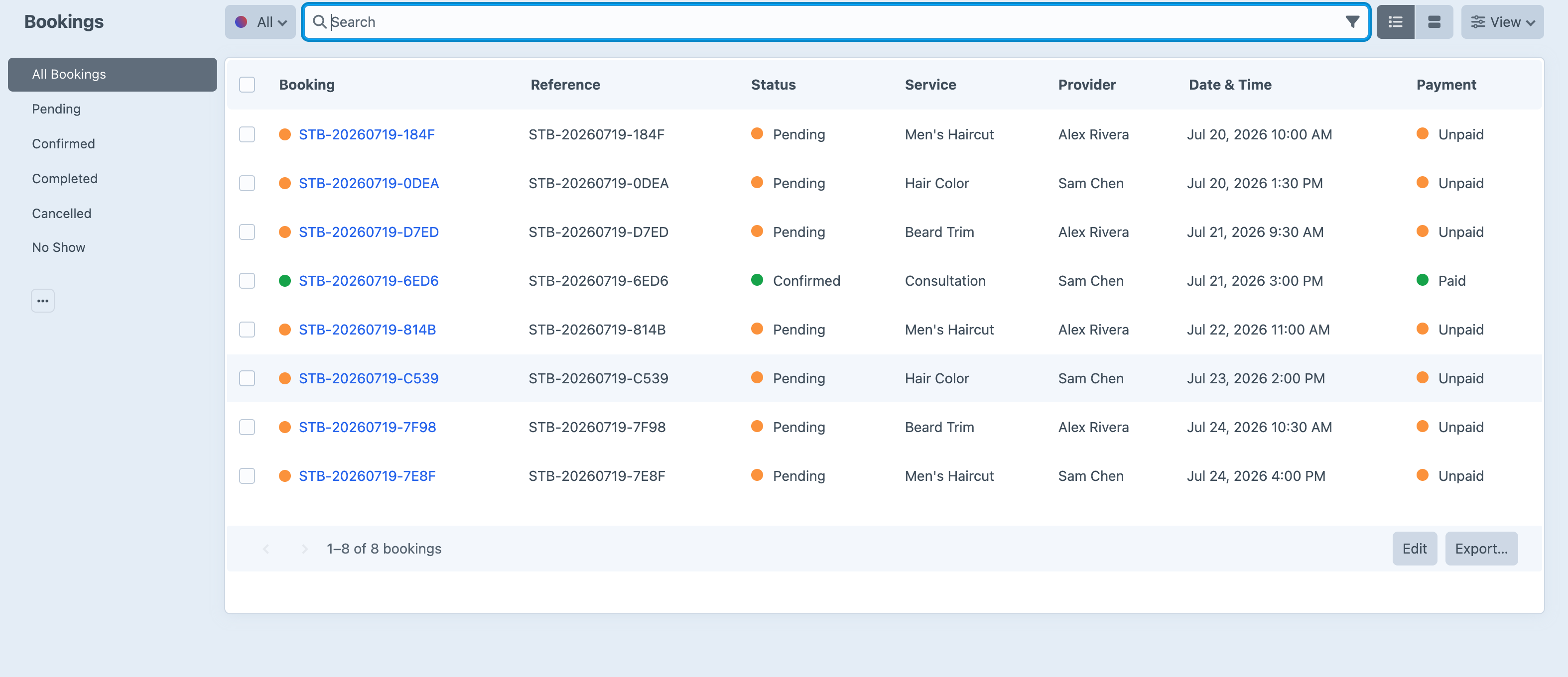
Every booking, its service and provider, and whether it has been paid for.
Screenshots from a live install, not mockups.
See It in Action
A booking flow your customers will actually finish — a clean, step-by-step wizard rendered on your own front end.
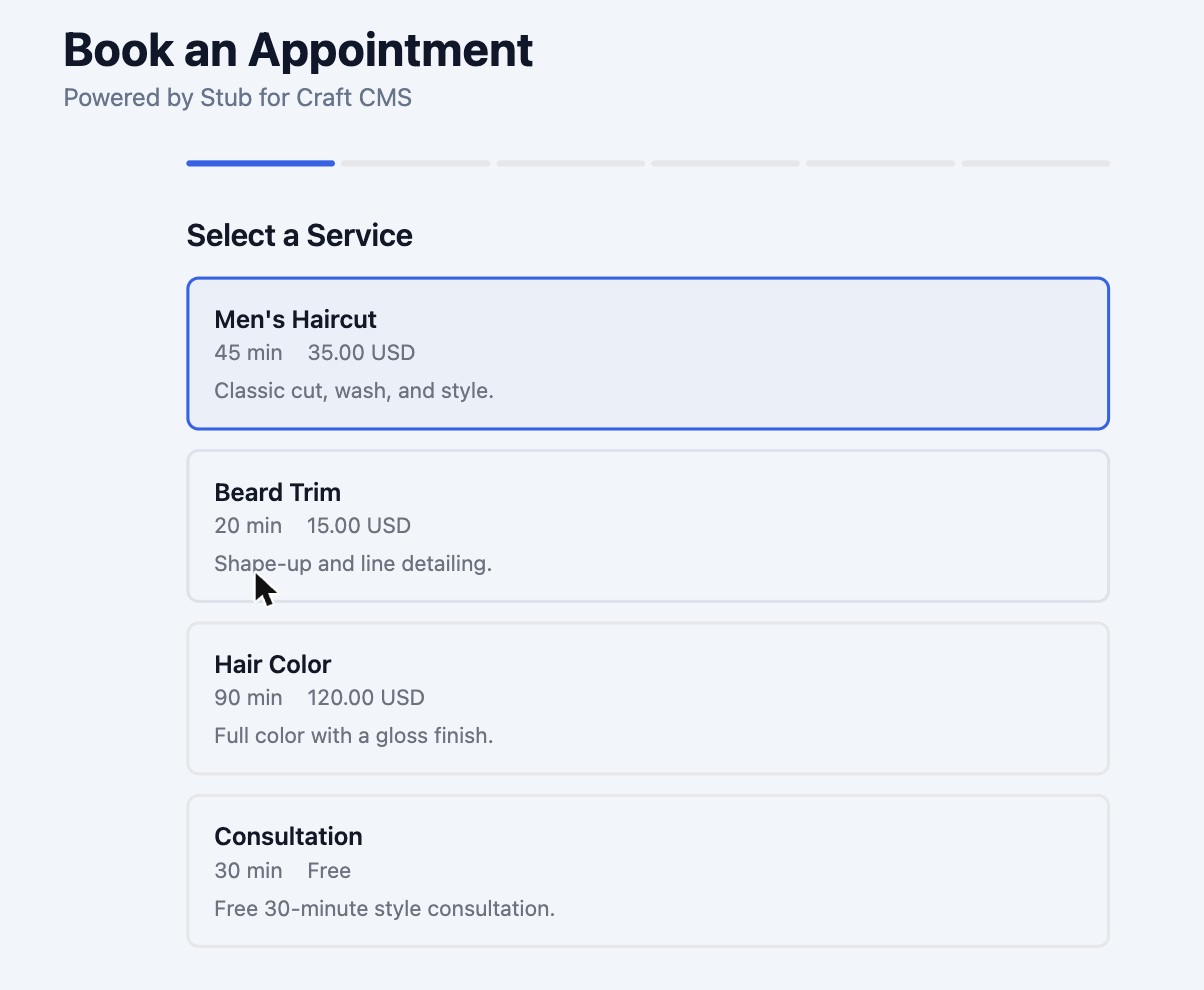
Durations and pricing, straight from your service list.
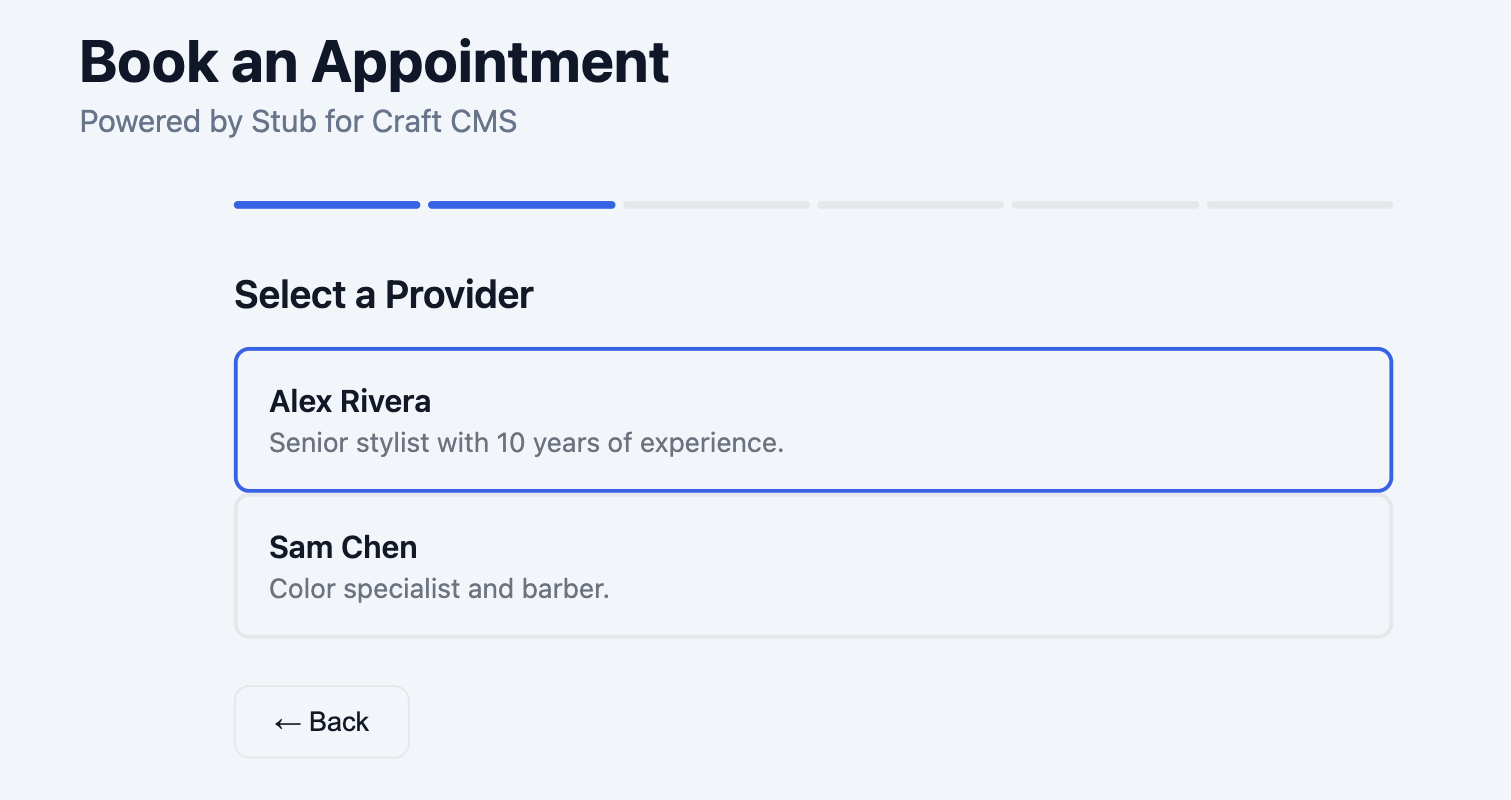
Only the providers who offer that service appear.
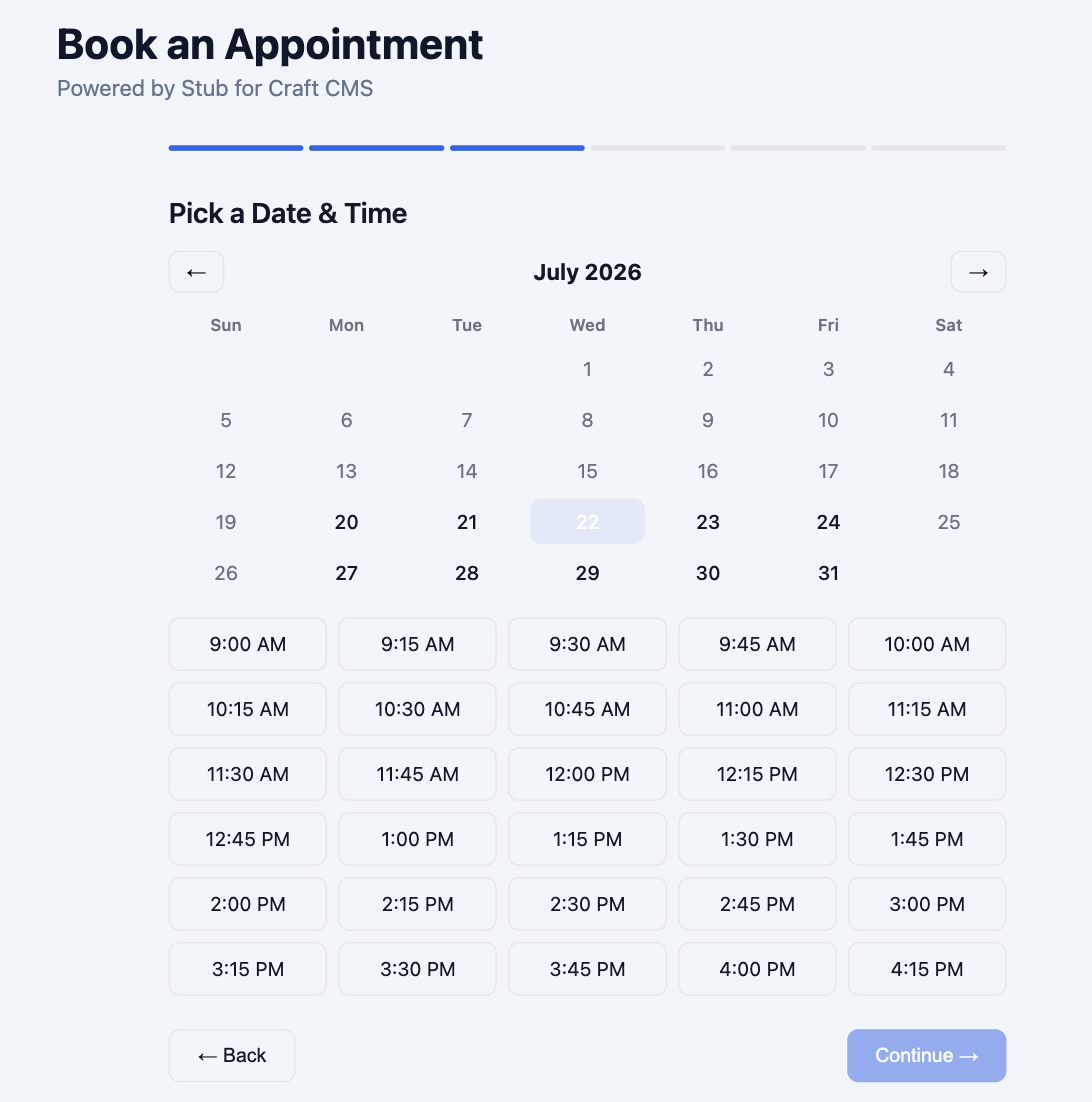
Real availability — booked and off-hours slots removed.
Bookings, providers, services, and a calendar view are all managed from the Craft control panel.
Manage It All in Craft
Every booking, provider, and service lives in the Craft control panel — no second system to log into.
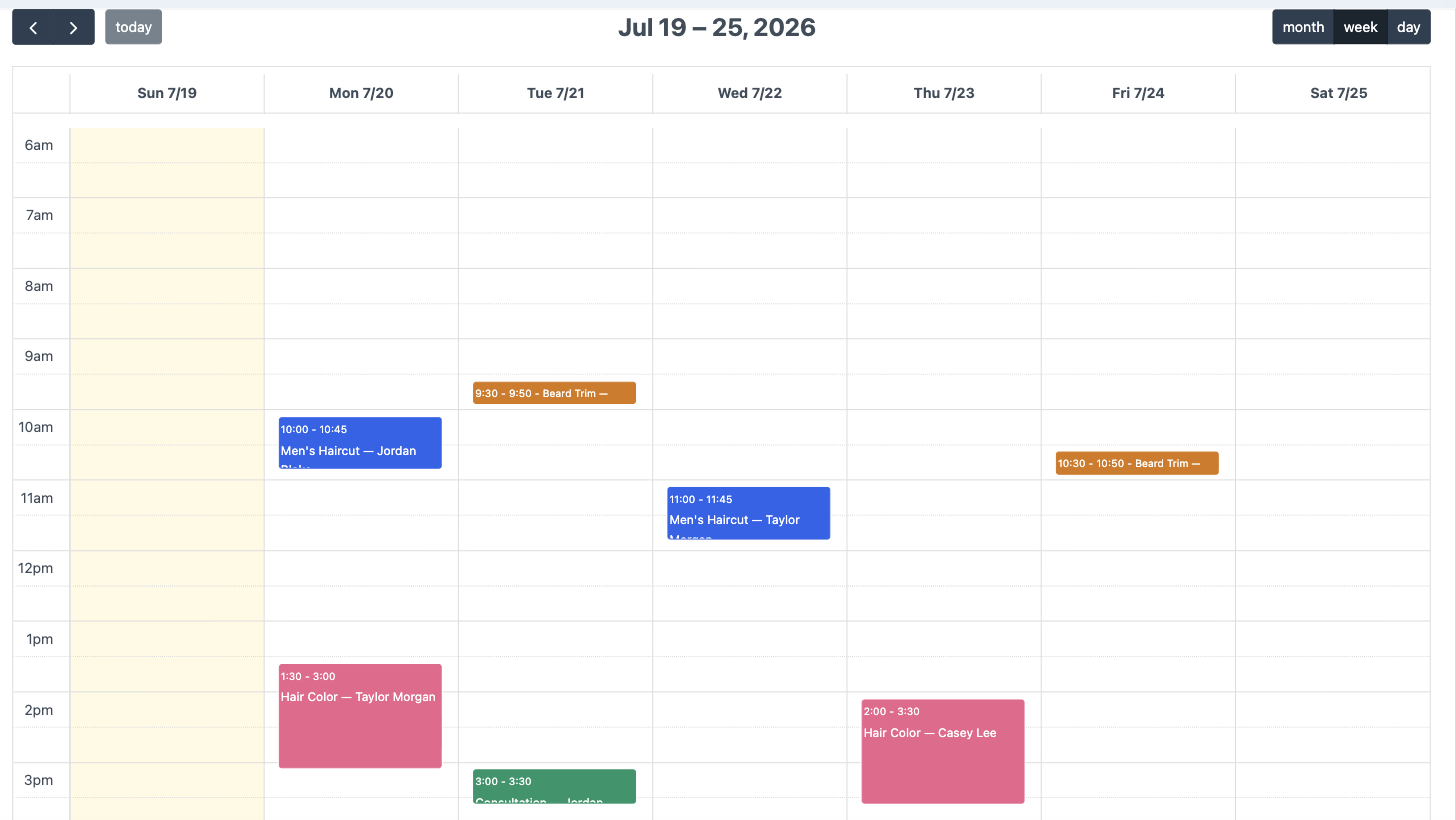
A FullCalendar week, day, and month view with per-provider filtering — each booking colour-coded by service.
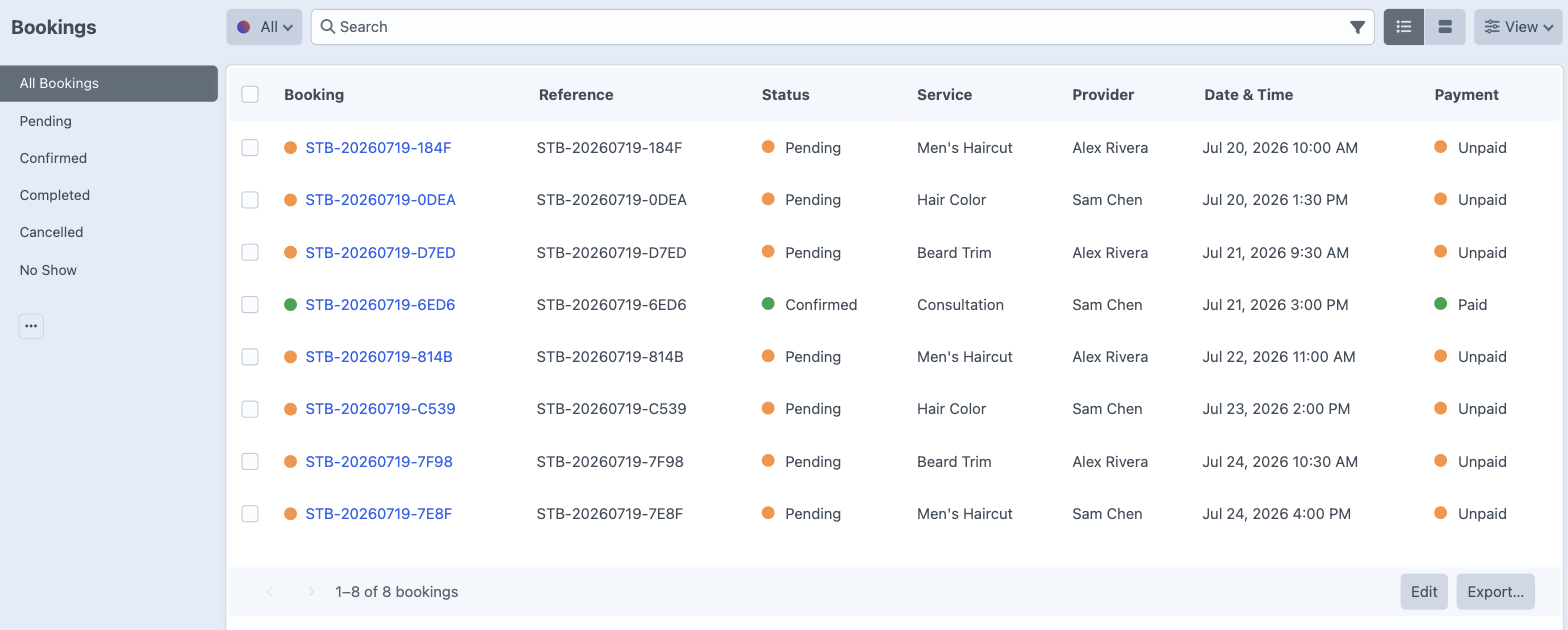
Bookings are Craft elements
Search, filter by status, sort, and export — with the full element index you already know.
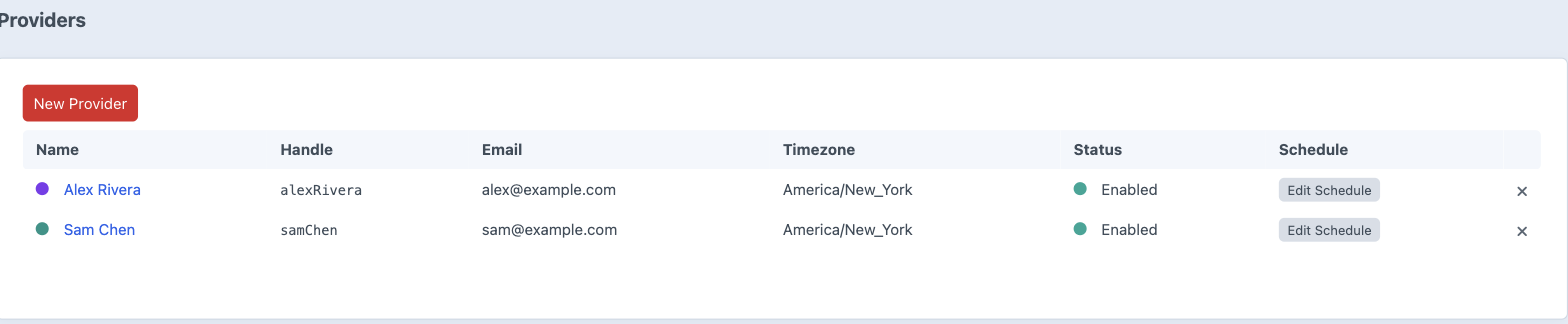
Providers & schedules
Each provider gets their own services, weekly hours, breaks, blocked dates, and timezone.
Features
Everything service businesses need to accept bookings online.
Multi-Provider Scheduling
Per-provider weekly schedules, breaks, blocked dates, and service assignments with full timezone support. Every provider only offers the times they’re actually available.
Step Wizard Booking
A six-step vanilla-JS booking wizard — Service, Provider, Date & Time, Customer Info, Payment, and Confirmation — with fully overridable templates you can style to match your site.
Stripe Payments
Direct Stripe integration with the Payment Element, SCA/3DS support, and webhook handling. Collect payment or a deposit at booking time, or run free and pay-in-person bookings.
Calendar View
A FullCalendar v6 control-panel integration with week, day, and month views plus provider filtering, so you can see every booking at a glance.
Email Notifications
Booking confirmation, admin notification, cancellation, and reminder emails delivered through Craft’s System Messages — fully translatable and editable from the control panel.
Appointment Reminders
Remind customers before they’re due — 24 hours ahead by default, or whenever suits you — and copy the provider and your admin address on the same notice. One cron entry, confirmed bookings only, and never twice.
Book It Yourself
Phone calls and walk-ins go straight into the control panel. The picker offers genuinely free slots, and an override books any time at all — a double-booking, someone squeezed in after hours, or an appointment you’re only now writing down.
Customer Management
A searchable customer list with full booking history and automatic linking to Craft user accounts. Bookings are first-class Craft elements you can query in Twig.
Stub is also part of Showtime
Also need events and memberships?
Stub handles bookings. If the same site also runs a calendar of events and sells memberships, Showtime bundles Owl (events & calendars), Stub, and Headcount (memberships & subscriptions) into one plugin under one license.
Bought separately
- Owl Pro $149
- Stub $79
- Headcount $99
$327
Three licenses, three renewal dates.
Showtime bundle
- Everything in all three plugins
- One install, one settings screen
- One license, one renewal date
$249
One-time license · $199/year for updates · $78 less
What you only get together
Member perks
A Headcount plan can discount a Stub service or restrict it to members. The discount is applied before the Stripe amount is derived, so members are genuinely charged less.
Provider events block slots
Someone teaching a class at 10am is no longer bookable for a 1:1 at 10am — Owl events count against Stub availability automatically.
One calendar for staff
Bookings appear on the events calendar, so the team works from a single screen instead of flipping between two.
One person, one view
A customer’s bookings, membership, and ticket orders show up together — plus one Stripe webhook URL and one from-address for the whole bundle.
Already bought Stub? Installing Showtime adopts your existing Stub install in place — settings, bookings, tables, and migration history all stay put. Don’t run plugin/uninstall first; that would drop your data. The Plugin Store has no upgrade pricing, so follow the upgrade guide and email me to be credited what you already paid.
Frequently Asked Questions
Common questions about Stub.
Stub is a booking and appointment scheduling plugin for Craft CMS 5. It lets service businesses accept bookings online with multi-provider support, availability rules, Stripe payments, and a multi-step booking form wizard — all managed from the Craft control panel.
Stub is a one-time $79 license per site, which includes every feature and one year of updates. After the first year you can renew for $59/year to keep getting updates — and if you choose not to renew, your installed version keeps working, you just won’t receive new releases.
Yes. You can define multiple providers, each with their own services, availability windows, and booking rules. Customers pick the provider and service, and Stub only offers time slots that provider is actually available for.
Availability is calculated from each provider’s working hours, service durations, buffer times, and any existing bookings. Booked and blocked slots are automatically removed, so customers can only choose times that are genuinely open.
Yes. Stub integrates with Stripe so you can collect payment or a deposit at the time of booking. Bookings can also be configured as free or pay-in-person if you don’t need to charge upfront.
Stub renders a step-by-step wizard — choose a service, pick a provider, select a date and time, enter details, and confirm. The templates are fully overridable, so you can style the form to match your site.
Yes. Stub emails the customer ahead of their appointment — 24 hours by default, and configurable — and can send the same reminder to the provider and your admin address. The wording lives in Craft’s System Messages like every other Stub email, so you can edit and translate it. Craft has no scheduler, so reminders need one cron entry (craft stub/reminders/send); they stay switched off until you add it, rather than promising an email that never arrives. Only confirmed bookings are reminded, each exactly once. See reminder emails.
Either. Stub → Bookings → New Booking takes a booking in the control panel for phone calls, walk-ins, and regulars. The time picker uses the same availability engine as the front-end form, so what you’re offered is genuinely free — and Override availability turns every check off when you need to double-book, squeeze someone in outside a provider’s hours, or record an appointment that already happened. You set the booking and payment status yourself, and decide whether the customer gets a confirmation email. See taking a booking yourself.
Yes. craft.stub.services() and craft.stub.bookingForm() both take a filter, so you can list the services belonging to one provider ({ user: currentUser }) or build a page around a single service ({ handle: 'consultation' }). A form narrowed to one service or one provider skips those steps of the wizard automatically. Services are configuration rather than content, so they have no custom fields — provider, and the Craft user a provider is linked to, is how ownership is modelled. See filtering services.
Yes. Each booking is a first-class Craft element, so you can view, search, sort, and filter bookings in the control panel, and query them in Twig with the usual element query API.
Stub requires Craft CMS 5.0 or later and PHP 8.2 or later. It supports both MySQL and PostgreSQL databases. Stripe is only required if you want to collect online payments.
Yes. Showtime bundles Owl (events & calendars), Stub, and Headcount (memberships & subscriptions) into a single plugin for $249 one-time, versus $327 buying the three separately. It is one install, one settings screen, and one renewal date instead of three — and it adds things the standalone plugins can’t do alone, like member discounts on Stub services and provider events blocking appointment slots. See the bundle comparison.
Yes, and your bookings come with you. Installing Showtime adopts an existing Stub install in place — settings are re-homed under Showtime and the tables and migration history are left untouched. Do not run plugin/uninstall first, as that runs the install migration backwards and drops the data. Craft’s Plugin Store has no upgrade pricing, so email me and I’ll credit what you already paid. Full steps are in the Showtime upgrade guide.
Buy a license from the Craft Plugin Store, then install with Composer (composer require justinholtweb/craft-stub) and enable it from Settings → Plugins. See the installation docs for full details.
Ready to accept bookings?
Get Stub for your Craft CMS project today.
$79 one-time license · $59/year for updates